The Secret to Natural Skin in Your AI-Edited Selfies
By Sandeep Rana ·
We all love a great selfie, and AI photo editors have made it easier than ever to refine our look. However, the line between a flawless finish and an overly processed one can be thin, especially when it comes to skin. This guide will help you master the art of natural-looking skin in your AI-edited selfies, ensuring you look radiant and genuinely you.
Embrace Subtlety: Less is Often More
The biggest mistake in AI skin editing is going overboard. Instead of aiming for perfection, focus on gentle enhancements that mimic real-life good lighting and healthy skin. Start with small adjustments and gradually increase them until you reach a natural sweet spot, rather than jumping straight to the maximum setting. Your goal should be to look like yourself on a great day, not a completely different person.
Prioritize Texture and Tone Over Flat Smoothness
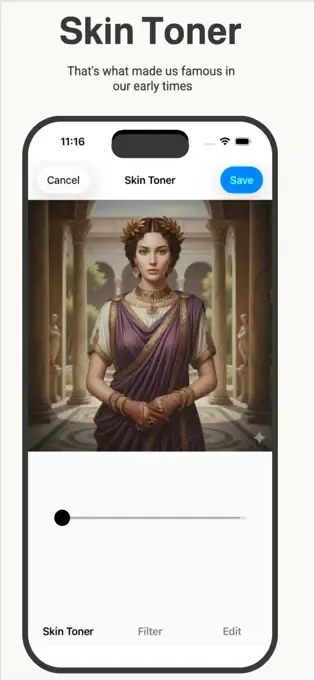
While smooth skin is desirable, completely erasing pores and natural texture can make your face appear flat or "plastic." A great AI editor, like Beautify Me, allows you to even out skin tone, reduce redness, and minimize blemishes while preserving essential skin texture. Focus on color correction and subtle blurring rather than aggressive smoothing to keep your complexion looking alive and authentic.
Smart Blemish Removal and Light Enhancement
AI tools are fantastic for targeted blemish removal, but use them wisely. Instead of wiping out every tiny mark, focus on distracting imperfections. Additionally, consider how light plays on your skin; a touch of highlight or subtle shadow adjustment can enhance your natural contours and give your skin a healthy glow without needing heavy smoothing. This intelligent approach makes a huge difference in the final look.
Leverage Beautify Me's Intelligent AI
Beautify Me is designed with advanced AI to help you achieve stunning results without sacrificing naturalness. Its smart algorithms can identify and target specific areas for improvement, from evening out skin tone to reducing shine, all while maintaining your unique features. Explore its intuitive tools to refine your complexion subtly and effectively. For the best natural skin enhancements, download Beautify Me on the App Store today: App Store.
The "Walk Away" Test: Fresh Eyes are Key
After editing, it’s easy to get accustomed to the changes. A crucial tip for natural results is to take a break from your screen for a few minutes, then come back and compare your edited photo to the original. This "walk away" test helps you spot if you’ve gone too far and allows you to make final, subtle tweaks with fresh eyes. It's a simple step that ensures your AI-edited selfie looks genuinely fantastic.
Achieving natural-looking skin in your AI-edited selfies is all about balance and smart editing choices. By following these tips and utilizing the powerful yet subtle tools in Beautify Me, you can ensure your photos highlight your true beauty, not just a filtered version. Download the app and start creating stunning, authentic selfies today at beautifymeapp.com.