Best AI photo editor & AI image editor · iPhone & iPad
Flawless photos. One tap.
Beautify Me is an AI photo editor and AI picture editor that reads skin tone, lighting, and facial detail—smart AI skin tone filters and portrait retouching for professional-looking results in seconds. One tap, not generic filters.
Free · In‑App Purchases · iOS 17+
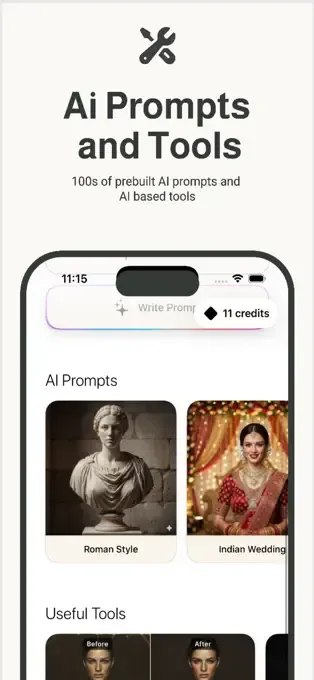

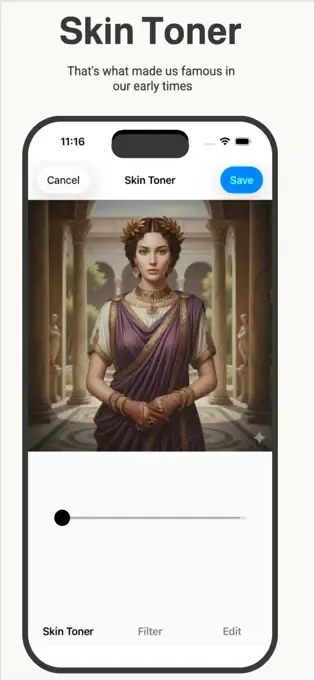
Why Beautify Me?
A powerful AI image editor stack: adaptive AI beauty filters, skin tone–aware edits, and AI image generation—more intelligent than ordinary photo apps.
-
AI Beauty Engine
Detects skin tone, lighting, and facial details for precise, natural enhancement.
-
Smart AI Filters
High-quality filters that adapt to your face instead of flat, one-size-fits-all effects.
-
AI Image Generation
Create stunning AI-enhanced visuals and artistic looks with advanced generation models.
-
One-Tap Beautification
Professional results instantly. No sliders, no guesswork.
-
Skin & AI skin tone filters
Smoothing, brightness, glow, tone correction, and face refinement—including skin tone–aware adjustments for natural portraits.
-
Fast & Lightweight
Optimized AI processing. Great results without slowing you down.
Designed for you
Ideal for selfies, portraits, profile photos, and anyone searching for a capable AI portrait editor on mobile.
FAQ: AI photo editor & AI image editor
Answers about AI skin tone filters, portrait editing, and using Beautify Me as your AI picture editor on iPhone and iPad.
Is Beautify Me an AI image editor?
Yes. Beautify Me works as a full AI photo editor and AI image editor on iPhone and iPad. It analyzes your photo to refine skin tone, lighting, and facial detail—with adaptive beauty filters and optional AI image generation when you want a new look.
Does Beautify Me include AI skin tone filters?
Yes. Edits are skin tone aware, so results stay natural in different light. You get balanced complexion enhancement instead of one-size-fits-all color—ideal for selfies, portraits, and social content.
Why choose Beautify Me as your AI photo editor for selfies?
The app is built for people who want the best AI photo editor experience without a learning curve: one-tap beautify, intelligent retouching, and filters that follow your face—not a preset mask. Perfect when you need a fast AI picture editor before posting.
How is AI photo editing different from ordinary filters?
Classic filters repeat the same curve on every image. AI photo editing adjusts to each shot, preserving texture and realism. That is why Beautify Me suits portraits, headshots, and everyday mobile photography.
Can I use Beautify Me on iPad?
Yes. Beautify Me runs on iPhone, iPad, and Apple Silicon Mac (M1 or later) with iOS 17+. Download free on the App Store; optional in-app purchases unlock more capability.
Latest from the Blog
Tips and guides for AI photo editing and getting the most from Beautify Me.
Get Beautify Me
Exclusively on the App Store. Start with a free download.
Download on the App StoreRequires iOS 17.0 or later. iPhone, iPad, and Mac with Apple M1 or later.