The Art of the Edit: Subtle vs. Dramatic Beauty in Your Photos
By Sandeep Rana ·
In the world of digital photos, editing is an art form. While AI photo editors like Beautify Me offer incredible power to transform your selfies and portraits, the key to stunning results lies in understanding the balance between subtle enhancements and dramatic flair. Let's explore how to master this balance and avoid the dreaded "over-edited" look.
Know Your Goal: Subtle Glow or Bold Statement?
Before you even tap a single filter, consider the mood and purpose of your photo. Are you aiming for a natural, "no-makeup" makeup look, simply enhancing your existing beauty? Or are you going for a high-fashion, editorial style that calls for bolder colors and sharper contours? Defining your vision helps guide your editing choices, ensuring consistency and preventing accidental over-editing.
The Power of "Less Is More": Subtle Enhancements
Often, the most impactful edits are the ones you can barely detect. Think about gentle skin smoothing that retains texture, brightening eyes without looking unnatural, or a slight lip color boost. Beautify Me's intelligent AI tools excel at these subtle touches, allowing you to refine features and perfect lighting without erasing your unique characteristics. Focus on enhancing, not transforming, for a truly natural glow.
Unleashing Your Inner Diva: Embracing Dramatic Edits
There's definitely a time and place for dramatic edits! If you're creating content for a themed event, an artistic project, or just want to experiment with a bold new look, go for it. This might involve vibrant makeup applications, creative backdrops, or striking color grading. The trick is to ensure the dramatic elements serve your overall artistic vision and don't just feel like random additions.
Smart Editing with Beautify Me: AI for Every Style
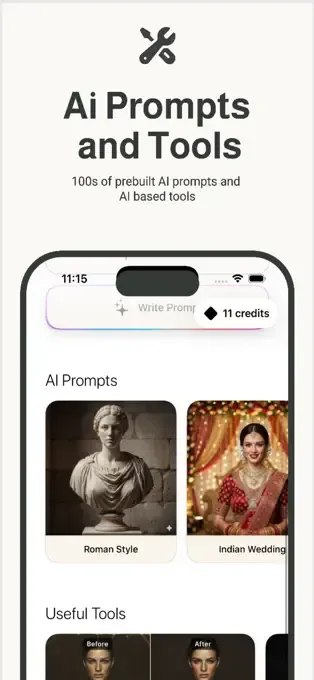
Beautify Me is designed to give you precise control, whether you're aiming for a barely-there touch-up or a complete makeover. Use the adjustable sliders to fine-tune intensity for features like skin tone, eye sparkle, or even virtual makeup. Start with a lower intensity and gradually increase it, constantly checking the "before" and "after" to ensure you're achieving your desired effect without going overboard. Download Beautify Me today from App Store and discover the power of intelligent editing.
The Ultimate Test: Your Before & After Comparison
Before saving your masterpiece, always utilize the "before and after" comparison feature. This quick toggle is your best friend in preventing over-editing. It allows you to see the original photo next to your edited version, helping you identify if you've lost natural details, oversaturated colors, or made edits that look artificial. Trust your eyes – if it looks too good to be true, it probably is.
Mastering the balance between subtle and dramatic edits empowers you to create stunning photos that truly reflect your style. With Beautify Me, you have the intelligent tools at your fingertips to achieve flawless results every time. Explore the possibilities and download Beautify Me at beautifymeapp.com to start perfecting your edits today!