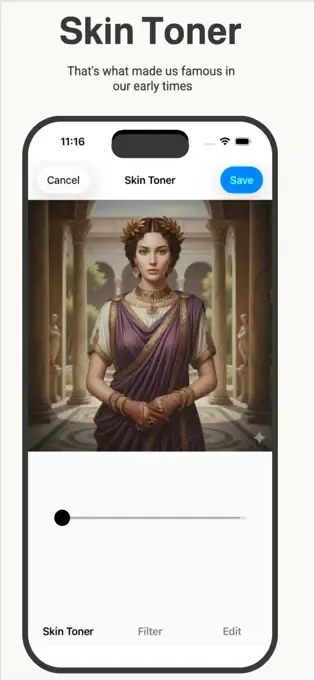
Even the best AI photo editor starts with a great base photo. While apps like Beautify Me can work wonders, mastering a few iPhone camera tricks can dramatically improve your selfies before you even hit 'edit'. Get ready to transform your self-portraits from good to absolutely gorgeous, right from the moment you snap the shot.
Embrace Natural Light Like a Pro
Good lighting is the secret ingredient to any stunning photo, especially selfies. Position yourself facing a window or outdoors during golden hour (shortly after sunrise or before sunset) for soft, flattering illumination that minimizes shadows and enhances your features. Avoid harsh overhead lighting or direct midday sun, which can create unflattering shadows and make you squint. Experiment with different natural light sources to see how they highlight your best angles.
Clean Your Lens (Seriously!)
This seems obvious, but it's one of the most overlooked selfie tips! Your iPhone spends a lot of time in pockets, bags, or handled with fingers, accumulating smudges and dust on the camera lens. A dirty lens can result in blurry, hazy, or dull photos that no filter can truly fix. A quick wipe with a soft, clean cloth (like a microfiber cloth) before you shoot can make an astonishing difference in clarity and sharpness.
Master Your Angles and Background
Experiment with holding your iPhone slightly above eye level and tilting your head slightly for a more flattering perspective. Also, pay close attention to what's behind you. A cluttered or distracting background can detract from your beautiful face. Opt for simple, clean backgrounds like a plain wall, a natural landscape, or a blurred street scene. This ensures you remain the star of your selfie, making any post-editing with an app like Beautify Me even more impactful.
Use the Volume Button or Timer for Stability
Tapping the on-screen shutter button can sometimes lead to camera shake, resulting in slightly blurry photos. Instead, try pressing one of your iPhone's volume buttons to take the shot – it often feels more natural and stable. For hands-free selfies or group shots, utilize your iPhone's built-in timer feature (3 or 10 seconds). This allows you to compose yourself and avoid any awkward arm stretches, ensuring a perfectly steady and well-composed photo every time. For even more flawless results, check out the advanced editing features at beautifymeapp.com.
By integrating these simple iPhone camera tips into your routine, you'll capture incredible selfies that are already halfway to perfection. Then, unleash the full potential of your images with Beautify Me, transforming them into stunning, shareable masterpieces. Download Beautify Me today and elevate your photo game at beautifymeapp.com!