Glow Up in a Snap: Your 60-Second Social Media Beauty Workflow
By Sandeep Rana ·
In today's fast-paced social media world, every second counts. You want to share your best self, but who has hours to spend editing? Good news: achieving a flawless look for your posts is quicker than you think, especially with the power of AI at your fingertips. Follow our 60-second workflow to make your photos pop!
Step 1: The Instant AI Auto-Enhance
Kickstart your edit by letting AI do the heavy lifting. Beautify Me's intelligent auto-enhance feature instantly corrects lighting, adjusts colors, and optimizes exposure with a single tap. This foundational step saves you valuable time, providing a perfectly balanced base for any further refinements. Get started by downloading Beautify Me for your iPhone or iPad today at App Store">Beautify Me on the App Store.
Step 2: Flawless Skin, Instant Confidence
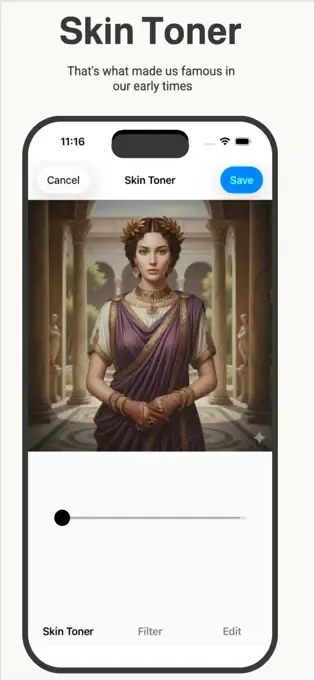
Next, tackle skin imperfections in a flash. Our AI-powered tools allow you to smooth skin, remove blemishes, and even out skin tone without losing natural texture. Say goodbye to unwanted pimples or dark spots with a quick swipe, ensuring your complexion looks radiant and natural in seconds.
Step 3: Bright Eyes & Whiter Smile: Your Express Glow-Up
Make your key features shine with targeted, rapid adjustments. Brighten your eyes to add sparkle and vitality, and whiten your teeth for a dazzling smile that truly stands out. These small but impactful edits can dramatically enhance your portrait, giving you that 'just woke up like this' glow in moments.
Step 4: Subtle Reshaping & Refinement
For those who desire it, subtle reshaping can be done incredibly fast with AI. Gently refine facial features like the jawline, slim certain areas, or adjust proportions with intuitive sliders. The goal is to enhance your natural beauty without making you look unnatural, all within a few quick taps.
Step 5: Final Polish: Filters & Light Adjustments
Complete your 60-second transformation with a final aesthetic polish. Apply a flattering filter to set the mood, or make minor brightness and contrast adjustments to perfect the overall look. Beautify Me offers a range of artistic filters and precise light controls to give your photo that professional, ready-to-share finish.
With Beautify Me, your dream of quick, stunning social media photos is now a reality. Download Beautify Me today and discover how easy it is to achieve a flawless look in under a minute. Get ready to shine and elevate your social media game with every post! Visit beautifymeapp.com">beautifymeapp.com to learn more.