Flawless & Real: How to Get Natural Skin in AI-Edited Selfies
By Sandeep Rana ·
AI photo editing has revolutionized how we perfect our selfies, offering powerful tools to smooth skin, brighten eyes, and refine features. However, the key to a truly beautiful AI-edited selfie lies in achieving a natural look, especially when it comes to your skin. Nobody wants to look airbrushed to oblivion; we want to look like our best selves, authentically.
Start with Subtle, Incremental Adjustments
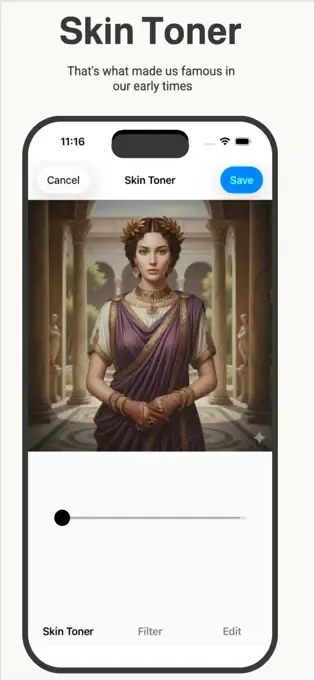
The biggest mistake in AI skin editing is going too extreme too fast. Instead of maxing out the 'smooth skin' slider, start with minimal adjustments and gradually increase until you find the sweet spot. Beautify Me allows for precise control, letting you fine-tune the intensity of any skin enhancement so your natural beauty shines through without looking artificial.
Don't Erase, Enhance: Preserve Skin Texture
Natural skin has pores, subtle lines, and unique textures – these are what make you, *you*. Over-smoothing can make skin look plastic. A great AI editor like Beautify Me understands this, offering tools that can reduce blemishes and even out tone while preserving essential skin texture. Look for features that enhance clarity and reduce shine without creating a completely flat surface.
Aim for Evenness, Not Flawless Perfection
True natural beauty often comes from even skin tone and healthy radiance, rather than absolute flawlessness. Use AI tools to subtly correct redness, even out discoloration, and brighten dull areas. This approach brings out your skin's natural glow, making it look healthier and more vibrant without erasing your authentic features. Remember, a little goes a long way.
Master Lighting and Color for a Natural Finish
Often, what looks 'unnatural' isn't just the skin smoothing, but poor lighting or incorrect color balance. Before diving into skin tools, use AI to adjust exposure, contrast, and white balance. Correcting these elements first can dramatically improve your skin's appearance, making subsequent skin edits minimal and more effective. Beautify Me offers intelligent auto-correction features that can get your photo's foundation just right.
Always Do a 'Before & After' Reality Check
After making your edits, always use the 'before and after' comparison feature to ensure your skin still looks like *your* skin. Step away from the screen for a moment and then come back with fresh eyes. If you can't tell you've used an editor, you've nailed it! For powerful yet subtle editing, download Beautify Me on the App Store: App Store and start perfecting your natural look.
With these tips and the smart AI tools from Beautify Me, you can achieve stunning, natural-looking skin in all your selfies. Embrace your authentic beauty, enhanced subtly and beautifully. Download Beautify Me today at beautifymeapp.com and let your true self shine!